View structured text on a page
Right click supported structured text and choose JSON Pretty Print from the context menu. A separate viewer opens over the page, so you can inspect the content without changing the original.
A browser extension for structured data
The JSON Pretty Print extension turns dense responses into a clear view. Right click to explore nested values, or use the toolbar for saved documents without uploading their contents.
Local processing · Original page content is not rewritten
HOW IT WORKS
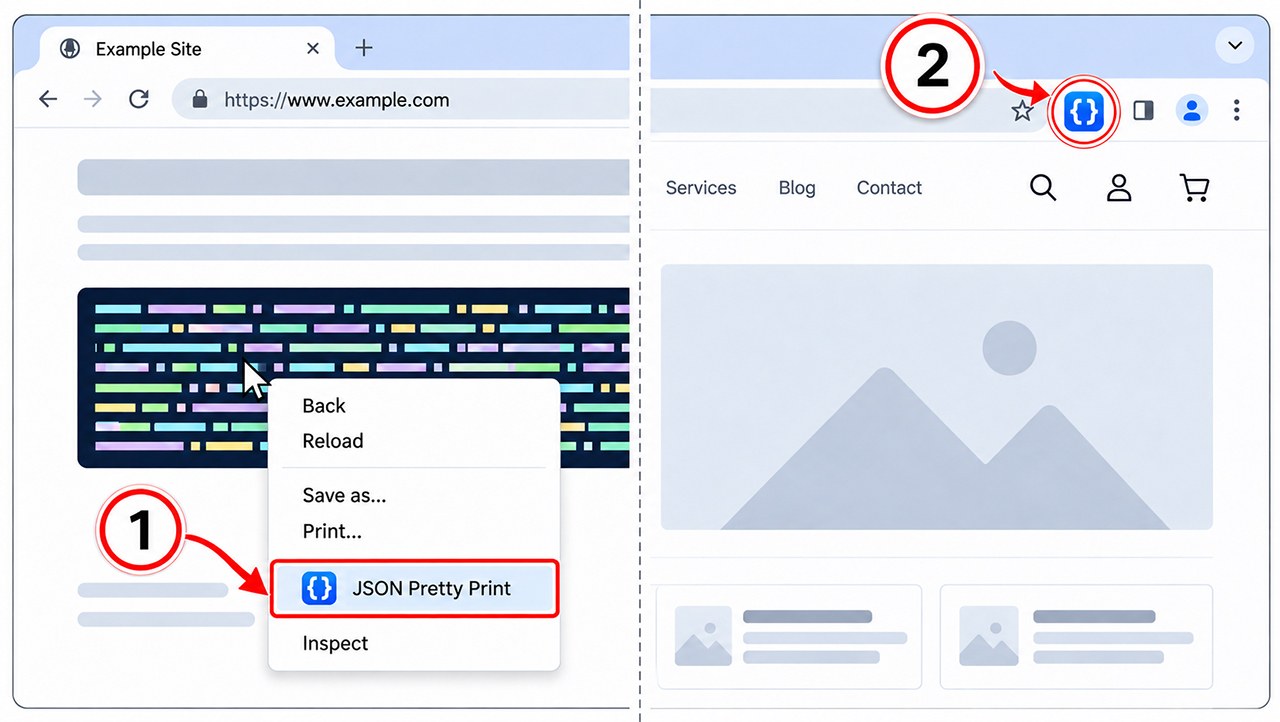
Right click supported structured text and choose JSON Pretty Print from the context menu. A separate viewer opens over the page, so you can inspect the content without changing the original.
Open the toolbar popup to beautify files, convert between JSON, XML and YAML, or run batch processing for multiple files and folders.
01 / FORMAT AND EXPLORE
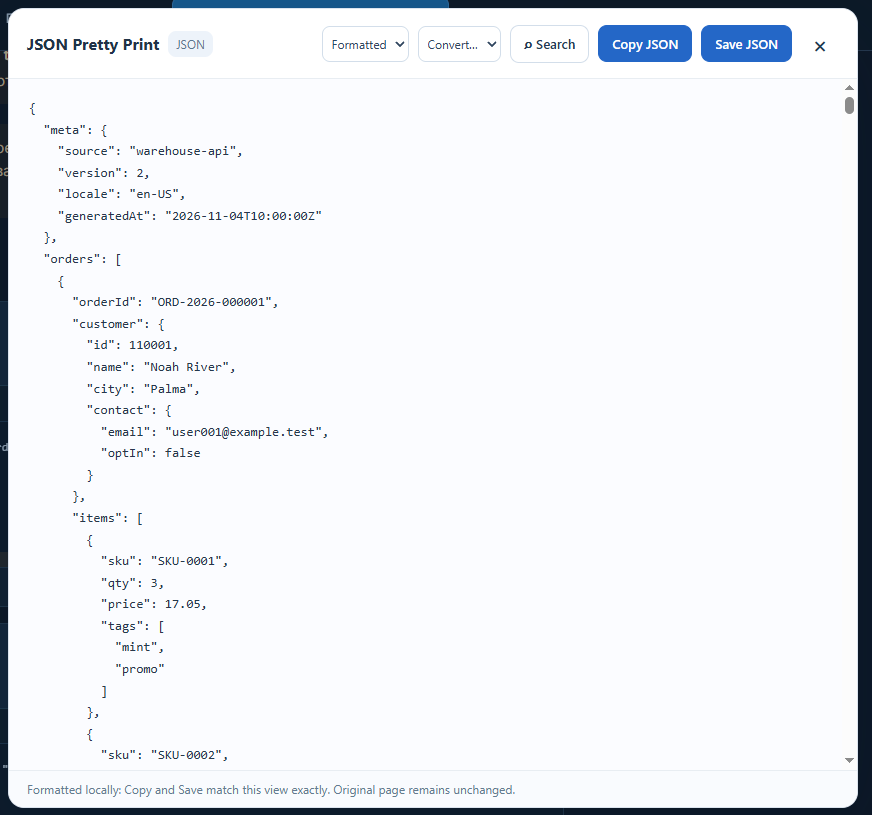
Choose JSON Pretty Print from the context menu on supported content. Switch between Raw, Formatted and Tree views; search values, follow paths and expand nested branches.
Copy or save from either text view when you need a result elsewhere. The overlay leaves the source untouched and never replaces content automatically as a tab loads.
Indentation reveals objects, arrays and their relationships at a glance.
Search can uncover matches within folded branches of a complex response.
Inspect an overlay while the original page content is not rewritten.
02 / CONVERT WITH CONTEXT
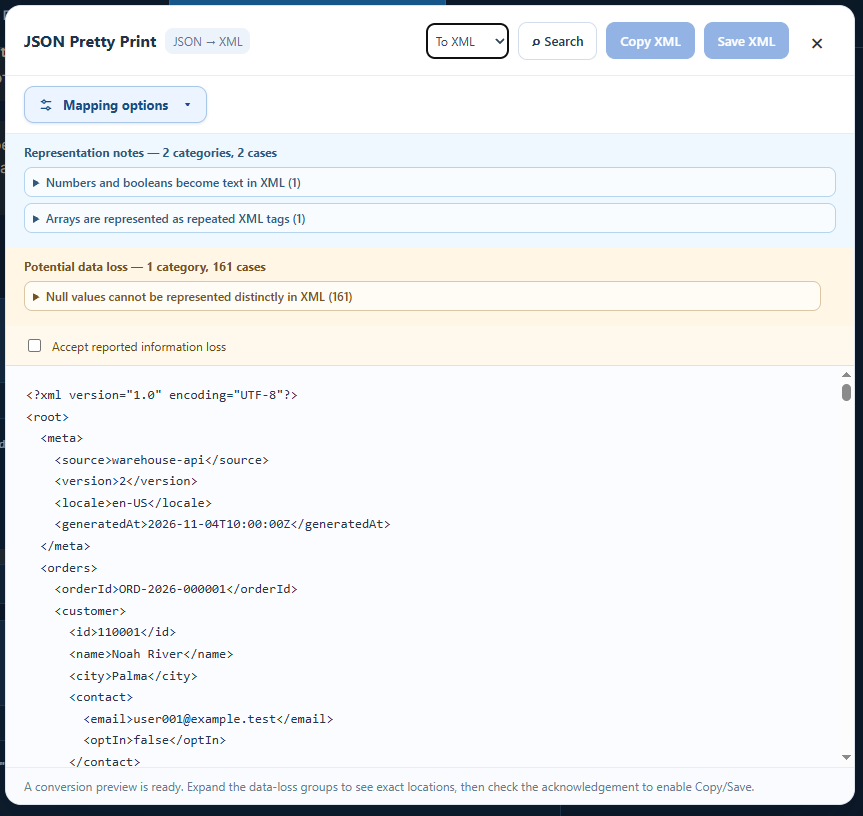
Move between JSON, XML and YAML in all six directions. Inspect the proposed output, adjust mapping options where available and review representation notes before saving.
Some conversions lose distinctions: for example, a null value may not have an exact equivalent. The preview highlights potential information loss before export.
03 / FILES AND FOLDERS
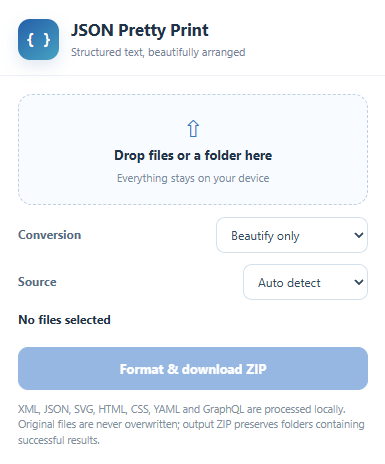
Drop documents or directories into the toolbar popup. Process a batch and download the resulting ZIP. Successful files retain their relative folder paths, while originals remain unchanged.
Use this workflow for saved responses, configuration snapshots or collections of source documents, including nested directories.
MORE THAN INDENTATION
The HTML formatter also works as an HTML beautifier for supported page content and saved markup. Use it to beautify HTML without rewriting your original document. CSS and GraphQL are supported too.
When diagnostics find a supported syntax problem, Fix it may propose a correction for certain cases. You decide whether to accept the result after reviewing it.
Formatting, diagnostics, repair and conversion run locally. No document upload is needed to use this code formatter; exported results are separate copies.
QUESTIONS AND ANSWERS
What to expect before you start working with structured documents.
Right click supported structured text and choose the extension. Use Formatted for indentation or Tree to explore nested values. The original page is not modified.
Yes. When working on a web page, processing happens on your device. This is a browser extension, not a remote website where you paste or upload a document.
Yes. Open the toolbar popup to process a single file, multiple files, or an entire folder. You can beautify, convert, and download the results as copies, while the original files stay unchanged.
The extension formats seven supported types, including HTML markup, CSS and GraphQL. Its code beautification workflow improves readability without automatically rewriting the page you are visiting.
Not always. Converting between formats can change how some values are represented. Review any information loss warnings and mapping choices before exporting.
Fix it can propose manual repairs for some JSON, XML or SVG syntax issues when a safe correction is available. Review the result before accepting it; not every error can be repaired.
A CLEARER VIEW AWAITS
Explore structured content, convert carefully and process files locally.